How to Test a Lithium Ion Battery Without a Multimeter
Your cordless drill suddenly loses power halfway through a job. You charge the battery overnight, plug it back in the next morning, and it still dies within minutes. The first thing most people think is, “The battery must be dead,” but without a tester nearby, figuring out the real problem can feel impossible. That’s exactly why people search for how to test a lithium ion battery without a multimeter.
I’ve run into this situation plenty of times with power tools, bike batteries, and backup battery packs. Sometimes the battery is actually bad, but other times the charger, dirty terminals, overheating, or built-in protection system is the real culprit. Replacing a lithium-ion battery without checking first can turn into an expensive mistake fast.
Knowing how to test a battery without specialized tools can save time, money, and frustration. It also helps you avoid risky situations like using a swollen, overheating, or unstable battery that could fail unexpectedly.
I’ll show you practical ways to check a lithium-ion battery using simple real-world methods—no multimeter required. You’ll learn what signs actually matter, what problems beginners often miss, and how to tell whether your battery still has life left in it or needs replacement.

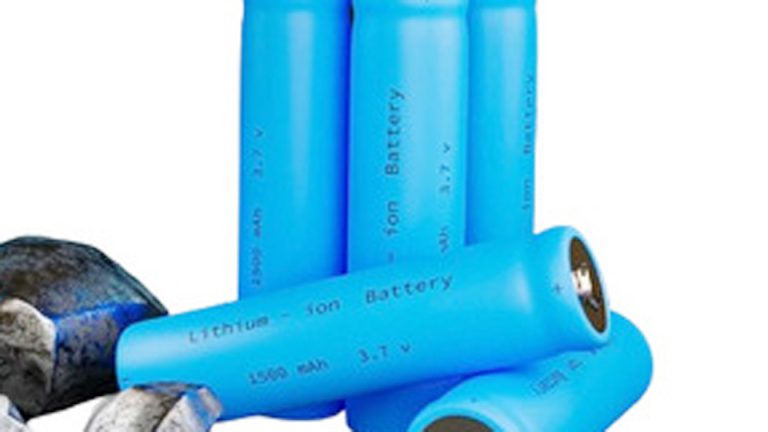
Image by hyxinbattery
Why Testing Lithium-Ion Batteries Matters in Real Life
Lithium-ion and LiFePO4 batteries power everything from EV 12V auxiliaries and e-bikes to deep-cycle solar banks and cordless tools. Unlike lead-acid, they don’t sulfate as easily, but they still degrade from heat, over-discharge, improper charging, or age. A weak cell can drag down the whole pack, cause sudden failures, or create fire risks if damaged.
In my experience, most failures I see come from three things: leaving batteries at low charge for too long, using the wrong charger, or ignoring early warning signs like reduced runtime. Knowing how to test without fancy tools keeps you ahead of these problems and saves real money.
Understanding Lithium Battery Types Before Testing
Different lithium chemistries behave differently, so your testing approach should match the type.
Common types include:
NMC/NCA (Nickel Manganese Cobalt) — Common in EVs, power tools, and consumer electronics. Nominal 3.6-3.7V per cell, higher energy density.
LiFePO4 (LFP) — Popular for solar, marine, and deep-cycle use. Safer, longer lifespan (often 2000-5000+ cycles), nominal 3.2V per cell, very flat voltage curve.
Lead-acid (flooded, AGM, gel) is still common in older cars, but the focus here is lithium. Always know your battery’s nominal voltage and Ah/Wh rating—it’s printed on the label or case.
Voltage Ranges and State of Charge Basics (Without Measuring Voltage Directly)
While we’re avoiding multimeters, understanding how voltage relates to charge helps interpret other signs. Lithium packs rarely show a simple linear drop like lead-acid.
For a typical 3.7V lithium-ion cell:
- Full: Around 4.2V
- Mid-range: 3.7-3.8V (flat area)
- Low: Below 3.5V or so
For LiFePO4 3.2V cells, the curve is even flatter between 20-80% SOC, making runtime and BMS indicators more useful than voltage alone.
Many battery systems have a display, app, or LED indicators that translate this for you.
Simple Visual and Physical Inspection First
Start every test with your eyes and hands. This catches obvious problems before anything else.
Look for:
- Bulging or swollen cells (danger sign—do not use)
- Leaks, corrosion, or white powder
- Cracks in the case
- Burn marks or overheating signs around terminals
For pouch cells or cylindrical 18650-style packs, gentle pressure can reveal softness in degraded cells. In a workshop, I always reject any battery that feels “soft” or smells off. Store batteries in a cool, dry place (around 50-70°F / 10-21°C) at 50-60% charge for long-term. Heat is the biggest killer of lithium lifespan.
Using Built-in BMS Indicators and Lights
Most modern lithium batteries have a Battery Management System (BMS) that protects against overcharge, deep discharge, and imbalance. This is your best friend for testing without tools.
How to use it:
- Press the button or activate the pack (many have a small push button near the terminals).
- Count the LEDs or check the display: 4 lights usually means full, 1-2 means low.
- Some show error codes with blinking patterns—consult your model’s manual, but common ones indicate low voltage cutoff or imbalance.
In solar setups I’ve worked on, the BMS often shuts off the output at around 10-20% remaining to protect the cells. If your inverter or device suddenly dies but restarts after a charge, the BMS is doing its job.
For EV or e-bike batteries, the dashboard or Bluetooth app often shows percentage directly. No multimeter needed.
Practical Load Testing Without a Multimeter
A load test shows if the battery can deliver power under real conditions—the most useful real-world check.
For small batteries (power tools, e-bikes, laptops):
- Fully charge the pack.
- Use it in its normal device under moderate load.
- Time how long it runs compared to when new. A 20-30% drop in runtime usually means noticeable degradation.
For larger packs (solar, car auxiliary, marine):
- Fully charge.
- Connect a known load, like a 100-300W inverter with lights, a heater, or fans.
- Time how long it powers the load until cutoff.
- Compare to rated capacity. Example: A 100Ah battery at 50% usable (to protect lifespan) should run a 5A load for about 10 hours. Shorter times indicate lost capacity.
I’ve done this many times in off-grid cabins. A simple resistive load like incandescent bulbs (though less common now) or a space heater on low gives consistent draw. Note the time and calculate rough Ah used.
Car or motorcycle lithium starter batteries:
- Charge fully.
- Turn on headlights (or high beams) for 10-15 minutes with engine off.
- Try starting the engine. If it cranks strongly and headlights stay bright, it’s good. Dimming or slow cranking points to weakness.
Dedicated Battery Testers and Chargers with Analysis
Affordable battery analyzers and smart chargers are game-changers and don’t require multimeter skills.
Popular options include:
- Opus BT-C3100 or similar for 18650-style cells
- Smart lithium chargers with capacity test modes
- Universal battery testers with LED readouts for various sizes
Step-by-step with a capacity tester:
- Fully charge the battery in the device.
- Insert into tester and set discharge current (e.g., 0.5C or 1A for small cells).
- Run the discharge cycle until cutoff.
- The tester shows actual mAh delivered—compare to rated.
This is the closest thing to lab testing you can do at home. I recommend it for anyone maintaining multiple packs.
App-Based and Bluetooth Monitoring for Smart Batteries
Many lithium systems (solar, EV, power stations) connect via Bluetooth to apps like VictronConnect, Renogy, or manufacturer-specific ones. These show:
- State of Charge (SOC) in percent
- Voltage, current, temperature
- Cycle count and estimated health (SOH)
Even without a fancy BMS, some phone apps or OBD2 tools for vehicles can read basic info. For DIY packs, a cheap Bluetooth voltmeter module (though it measures voltage, many pair with apps for logging).
Comparing Battery Types: When Lithium Shines (and When It Doesn’t)
Here’s a practical comparison based on real use:
Lithium-Ion (NMC etc.):
- Pros: Lightweight, high energy, fast charge, good power delivery
- Cons: Higher upfront cost, sensitive to extreme temps, potential thermal runaway if damaged
- Best for: EVs, tools, portable power
LiFePO4:
- Pros: Extremely safe, 5-10x longer cycles than lead-acid, flat voltage, tolerant to partial cycles
- Cons: Slightly heavier for same Wh, higher cost per kWh initially
- Best for: Solar storage, marine, backup systems
Lead-Acid (AGM/Gel):
- Pros: Cheap, widely available, forgiving on chargers
- Cons: Heavy, shorter life (300-800 cycles), sulfates if left discharged
- Still viable for budget car starters but lithium is taking over auxiliaries.
In solar installs I’ve seen, switching to LiFePO4 often pays for itself in 2-3 years through longer life and efficiency.
Charging Methods and Common Mistakes to Avoid
Wrong charging kills more lithium batteries than anything else.
Correct ranges (general):
- Lithium-ion: Charge to 4.2V per cell max, use CC/CV (constant current/constant voltage)
- LiFePO4: Up to 3.65V per cell, 14.6V for 12V systems
- Current: 0.5C is safe for most (half the Ah rating in amps)
Use a charger matched to your chemistry. Many “universal” chargers have lithium modes.
Big mistakes I see:
- Using lead-acid chargers (higher voltage can damage or trigger BMS protection)
- Charging in extreme heat or cold (below 32°F / 0°C or above 113°F / 45°C is risky)
- Storing at 100% or 0% for weeks
- Ignoring cell imbalance (one weak cell fails the pack)
Always charge indoors or protected, and monitor temperature during fast charging.
Battery Maintenance Routines for Long Life
- Check monthly in active use.
- For storage: 50-60% charge, cool location, check every 3 months.
- Keep terminals clean and tight.
- Balance cells occasionally if your BMS allows or use a balancer.
- Avoid full discharges when possible—lithium likes 20-80% for daily use.
In hot climates like garages in summer, add some insulation or ventilation around packs.
Troubleshooting Common Lithium Battery Issues
Sudden cutoff: BMS protection—charge it and see if it resets. Check for overload or short.
Reduced capacity: Likely degradation or imbalance. Capacity test needed.
Won’t charge: Check charger compatibility, temperature, and BMS reset (sometimes requires specific procedure like holding button).
Overheating: Stop use immediately—possible internal fault. Dispose properly.
For power tools, if runtime drops fast even when “full” on the indicator, individual cells are probably failing.
Real-World Examples Across Applications
- Cars/Motorcycles: Lithium starter batteries are lightweight but test cranking power regularly. Many drop-in replacements have Bluetooth monitoring.
- Solar/Off-Grid: Daily cycling means tracking runtime on consistent loads (fridge + lights) is key. LiFePO4 excels here.
- UPS/Backup: Test under load quarterly—simulates outage.
- Power Tools/Electronics: Swap packs and note runtime. Keep spares rotated.
I once helped a friend with a solar van setup. His “dead” lithium bank was just imbalanced; a proper top-balance and capacity check brought it back to 90% usable.
Safety Considerations You Can’t Ignore
Lithium fires are rare but serious. Never puncture, submerge (unless IP-rated), or charge unattended if possible. Have a Class D or ABC extinguisher nearby for larger systems. Dispose at proper recycling centers—do not throw in trash.
Wear gloves when handling damaged packs. If a cell vents or smells sweet/chemical, isolate it outdoors.
Practical Recommendations for Buyers and Users
Match voltage and capacity exactly when replacing. For solar, choose LiFePO4 with active BMS and low-temp protection. For vehicles, ensure CCA rating meets or exceeds your needs.
Buy from reputable sources with warranties. Read real user reviews on cycle life in your climate.
Key Takeaways for Confident Battery Management
You now have solid, hands-on ways to test lithium-ion batteries without pulling out a multimeter every time. Combine visual checks, BMS indicators, runtime/load tests, and smart chargers for the full picture. Understand your specific chemistry, charge properly, and maintain consistently.
The strongest pro tip I give technicians: Always do a full capacity test after any pack has sat unused for months. It reveals hidden degradation early and prevents surprises when you need power most. Treat your batteries right, and they’ll return the favor with years of reliable service.
FAQ
How can I tell if my lithium battery is bad without any tools?
Look for swelling, leaks, or drastically reduced runtime in normal use. If it won’t hold a charge or the device cuts off quickly after a full charge, the pack is likely degraded or has a failing cell. Visual bulging is an immediate red flag—stop using it.
Does the drop test work for lithium batteries?
Not reliably. The bounce test works better for alkaline batteries. For lithium, focus on performance, BMS lights, and physical condition instead.
Can I test LiFePO4 solar batteries the same way as regular lithium-ion?
Yes, but LiFePO4 has a flatter voltage curve, so runtime under load and app/SOC readings are more important than any single voltage point. Use the same load testing approach.
What’s the best cheap way to test multiple small lithium cells?
A dedicated charger/analyzer like those for 18650 cells. They discharge and show real capacity without guesswork.
How often should I test my EV or car lithium auxiliary battery?
Every 3-6 months or before long trips. Quick load test with lights plus checking the vehicle’s monitoring system catches most issues early.