What Is a Lithium Coin Cell Battery? 3V Specs & Uses
A car key fob suddenly stops working right when you’re in a hurry. You press the button again and again—nothing. The car battery is fine, everything else works, but that tiny battery inside the remote has quietly died.
That’s where most people start asking: what is a lithium coin cell battery, and why does something so small create such a frustrating problem?
These little batteries power more devices than people realize—car remotes, watches, calculators, even medical tools. In the workshop, I often see people assume the device itself is faulty, when in reality it’s just a drained coin cell causing all the trouble.
Knowing how these batteries work actually matters more than you’d think. The wrong type can leak, overheat, or die faster—costing you money and reliability. The right one, on the other hand, gives consistent performance, longer life, and fewer surprises, especially in real conditions like heat and humidity.
I’ll walk you through exactly what these batteries are, how they work, and how to choose the right one without confusion. You’ll also get practical tips and real-world fixes so you’re not stuck dealing with a dead device at the worst possible time.
What Is a Lithium Coin Cell Battery?
What It Is
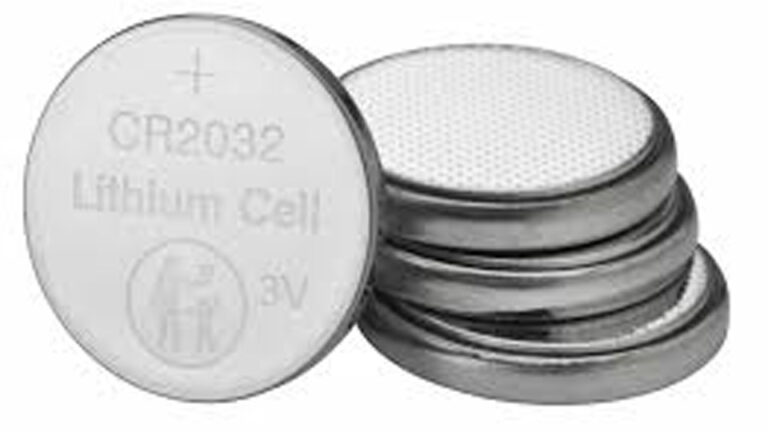
A lithium coin cell battery is a small, disc-shaped primary (non-rechargeable) battery characterized by its high energy density and long shelf life. The term “coin” comes from its physical appearance, as it resembles a coin with
How It Works
These cells generate electrical energy through an electrochemical reaction between an anode (typically metallic lithium) and a cathode (such as manganese dioxide or carbon monofluoride), separated by an organic electrolyte. The lithium provides a high cell voltage of 3.0V, which is twice that of traditional alkaline button cells.
When and Why It Should Be Used
You should use lithium coin cells when you need:
- High energy density in a highly compact form factor.
- Stable voltage output throughout the battery’s lifespan.
- Exceptional shelf life, often retaining up to 90% of their charge after ten years of storage.
Real-World Insights
Beginner Mistake: Many users confuse lithium coin cells with alkaline button cells (like LR44). While they look identical, alkaline cells output 1.5V and drain quickly. Putting a 1.5V battery in a device designed for a 3.0V lithium cell will cause the device to malfunction or not turn on at all.
Pro-Tip: Always handle coin cells with plastic tweezers or clean, dry gloves. The oil and moisture from your bare fingers can create a micro-short circuit between the positive and negative terminals, draining the battery before it even enters the device.
Decoding Battery Nomenclature and Voltage Ranges
Understanding the alphanumeric codes stamped on the battery helps prevent compatibility issues and dangerous installation errors.
The CR and BR Naming Convention
The International Electrotechnical Commission (IEC) uses a standard naming system. Let’s break down the code:
First letter (Chemistry): C stands for Lithium Manganese Dioxide ($Li\text{-}MnO_2$), while B stands for Lithium Poly-carbon Monofluoride ($Li\text{-}(CF)_x$).
Second letter (Shape): R stands for round (circular).
Numbers (Dimensions): The first two digits denote the diameter in millimeters, and the last two denote the height in tenths of a millimeter. For example, a CR2032 is 20mm in diameter and 3.2mm thick.
Voltage Specifications
- Nominal Voltage: 3.0 Volts.
- Cut-off Voltage: 2.0 Volts (below this point, the device will register as dead).
- Open-Circuit Voltage (Fresh): 3.1V to 3.3V.
Battery Types Comparison
To understand how lithium coin cells stack up against other chemistries in everyday, automotive, and off-grid applications, review the table below.
| Battery Chemistry | Nominal Voltage | Lifespan | Typical Application | Common Failure Mode | Cost vs. Value |
| Lithium Coin (CR) | 3.0 V | 3 to 10 years | Key fobs, BIOS memory, smart sensors | Internal passivation layer build-up | High value due to longevity |
| Alkaline Button (LR) | 1.5 V | 1 to 2 years | Toys, calculators, laser pointers | Voltage drop, leakage/corrosion | Low cost, rapid discharge |
| Lead-Acid (Flooded/AGM) | 12.6 V | 3 to 6 years | Automotive starting, UPS systems | Sulfation, grid corrosion | High upfront cost |
| Lithium Iron Phosphate ($LiFePO_4$) | 12.8 V | 10+ years | Solar storage, RV power banks | BMS failure, low-temperature charging | Excellent long-term value |
Real-World Usage Examples
Cars and Motorcycles
Key Fobs and Smart Keys: Automotive keys rely on CR2032 or CR2025 batteries. A dying battery causes delayed keyless entry and dashboard errors.
Tire Pressure Monitoring Sensors (TPMS): Internal sensors use high-temperature lithium coin or pouch cells. When they fail, the entire sensor must be replaced.
Solar Systems and Off-Grid Use
Inverter Memory & Micro-inverters: Off-grid solar charge controllers often rely on a small lithium coin cell to retain system time and charging settings during power disconnects.
UPS and Backup Systems
Server and Router Backups: Small network switches and UPS units utilize coin cells to preserve configuration settings when disconnected from AC mains power.
Power Tools and Small Electronics
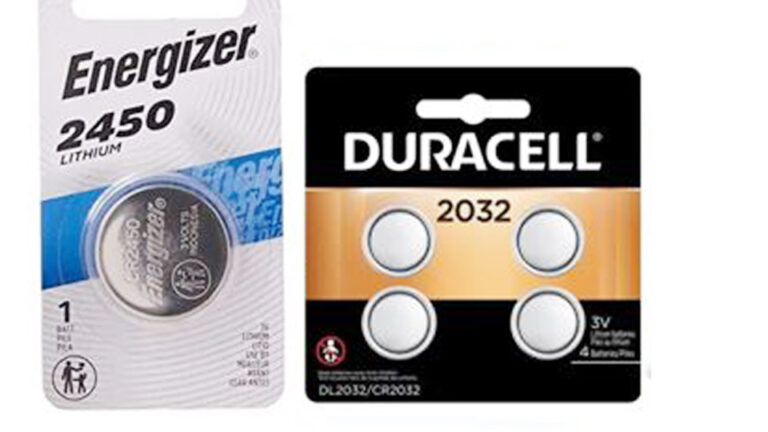
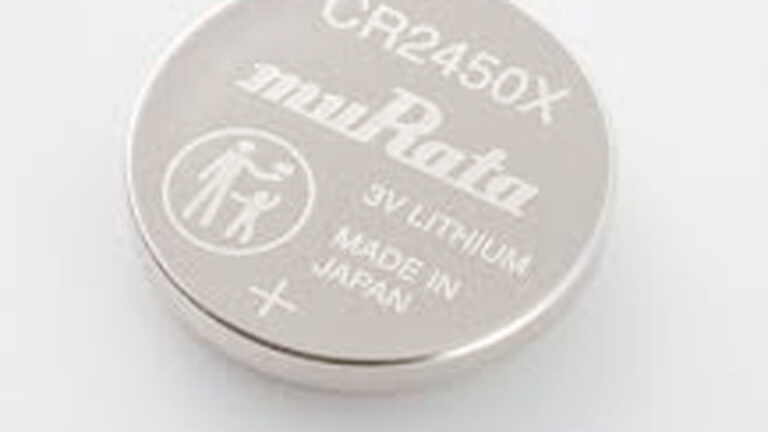
Precision Instruments: Multimeters, digital scales, and laser measuring tools use CR2032 or CR2450 batteries.
Step-by-Step Guide: Testing and Replacing a Coin Cell Battery
Replacing a coin cell battery is straightforward, but taking shortcuts can damage the device’s battery clips or cause short circuits.
Step 1: Gather Your Tools
- Clean, non-conductive tweezers or a flat-head precision screwdriver.
- A digital multimeter.
- Isopropyl alcohol and a cotton swab.
Step 2: Test the Old Battery
- Set your digital multimeter to measure Direct Current Voltage (DCV).
- Place the red probe on the positive terminal (top, larger flat surface) and the black probe on the negative terminal (bottom rim and base).
- If the reading is below 2.8V, the battery is depleted and needs replacement.
Step 3: Remove the Old Battery Safely
- Open the device’s battery compartment carefully.
- Use a plastic tool to pry it out if it is secured with a metal clip. Do not use metal screwdrivers directly against both terminals at once.
Step 4: Clean the Contacts
- Dip the cotton swab in isopropyl alcohol.
- Wipe the battery contacts to remove white corrosion or dust. Let it dry for 60 seconds.
Step 5: Install the New Battery
- Ensure the positive side (+) faces up.
- Slide the battery into place gently, ensuring the metal retention clip secures it firmly without bending.
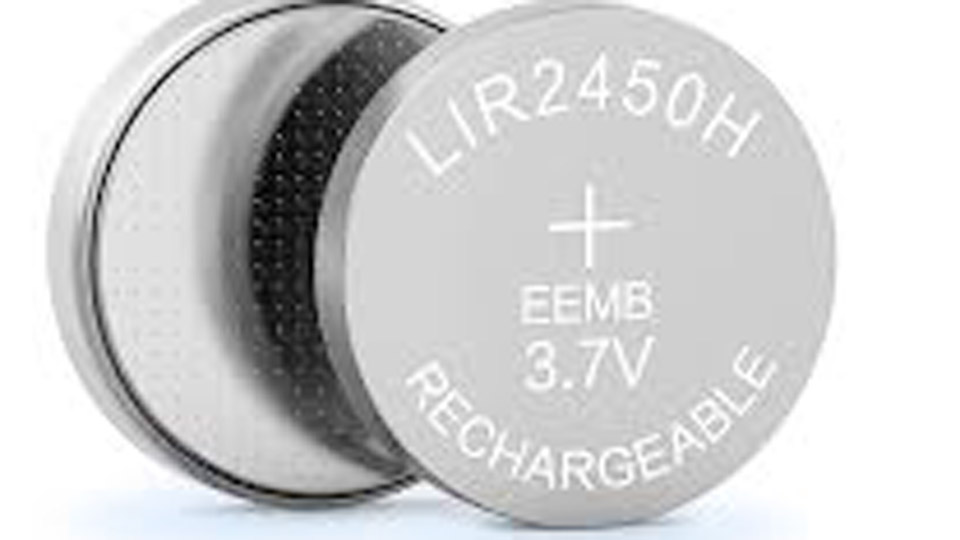
eemb
Safety Considerations and Failure Scenarios
Thermal Runaway and Leakage Risks
While lithium coin cells are extremely stable, mistreating them can result in leakage or rupture.
Never attempt to charge a primary coin cell. Standard CR and BR batteries are not rechargeable. Attempting to force current through them causes internal gas generation, leading to explosive venting.
Ingestion Hazard: The size and shape of coin cells make them highly dangerous if swallowed by small children or pets. The saliva creates an electrical current that causes severe chemical burns in the esophagus within two hours.
Storage Errors
- Do not store batteries in damp basements or metal containers where condensation can form.
- Keep them in their original blister packaging until you are ready to use them to prevent accidental discharge.
Conclusion
Understanding the lithium coin cell battery goes far beyond reading the label. By recognizing the difference between a 3.0V lithium cell and a 1.5V alkaline button battery, using proper handling techniques, and monitoring the shelf life, you ensure your devices operate when you need them most.
- Battery Types: CR and BR series batteries offer stable, high-density power for low-drain devices.
- Maintenance: Keep contacts clean, test with a multimeter, and avoid moisture.
- Safety: Keep out of reach of children and never attempt to recharge them.
Expert Technician Insight: When replacing a critical key fob battery, always use a high-drain-rated lithium cell (e.g., a known name-brand CR2032) to prevent voltage drop during the high-power RF transmission phase.
Frequently Asked Questions
Can I replace a CR2025 with a CR2032 battery?
In many cases, yes, if the battery compartment has enough vertical clearance. The CR2032 is 3.2mm thick, whereas the CR2025 is 2.5mm thick. The diameter is identical (20mm). However, the CR2032 has a slightly higher capacity. Always check if the compartment lid can close completely without applying pressure.
How do I know if my lithium coin cell is dead without a multimeter?
If the device behaves erratically—such as intermittent key fob range, a dim display on a pocket scale, or reset settings on a timer—the internal resistance of the battery has risen, and it can no longer supply the required current.
Why do coin cell batteries drain quickly in storage?
They drain quickly if they are exposed to high temperatures (above 120°F/49°C) or if the contacts develop a microscopic short circuit caused by dust, humidity, or finger oil.
Are lithium coin cells rechargeable?
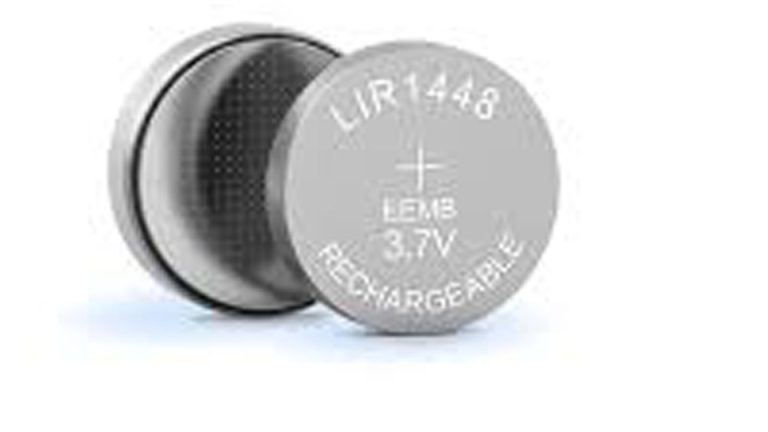
No. Standard CR and BR lithium coin cells are strictly primary cells. Using a charger on them creates a fire and explosion hazard. If you need rechargeable coin-style batteries, look for specific Lithium-ion rechargeable variants such as the LIR2032, which output 3.6V.