How to Clean Alkaline Battery Terminals
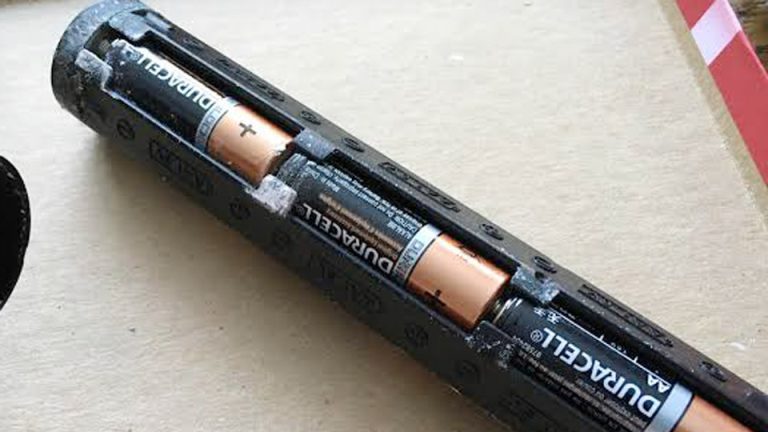
Few things are more annoying than replacing batteries in a remote, flashlight, or portable device only to find that it still won’t power on. In many cases, the batteries aren’t the problem at all—the real culprit is corrosion on the battery contacts.
That’s why knowing how to clean alkaline battery terminals is an important skill for anyone who regularly uses battery-powered devices.
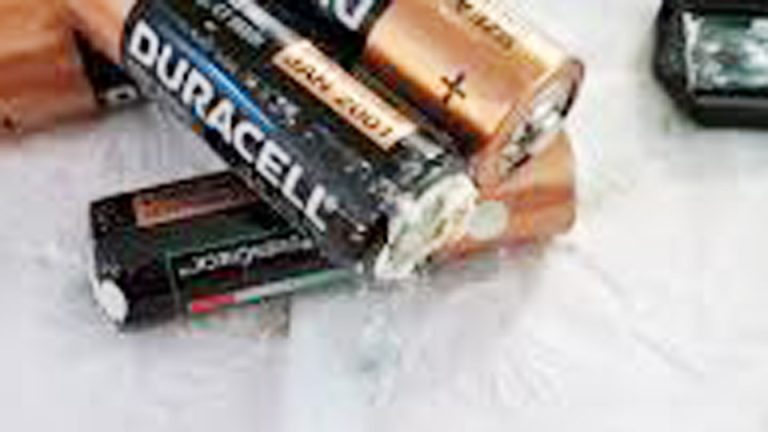
I’ve opened countless battery compartments where the terminals were covered in a white, powdery buildup caused by leaking alkaline batteries. Even a small amount of corrosion can interrupt the flow of electricity, leading to weak performance, intermittent operation, or a device that appears completely dead. Many people assume the electronics have failed when the fix is actually much simpler.
The challenge is that battery terminal corrosion doesn’t just look messy—it can gradually damage the metal contacts if it’s not removed properly. Using the wrong cleaning method can also make the problem worse, leaving you with bent terminals or lingering residue that continues to affect performance.
I’ll show you the exact steps I use to clean corroded alkaline battery terminals safely, restore proper electrical contact, and help prevent future corrosion from damaging your devices. You’ll also learn which cleaning supplies work best and which common shortcuts are best avoided.
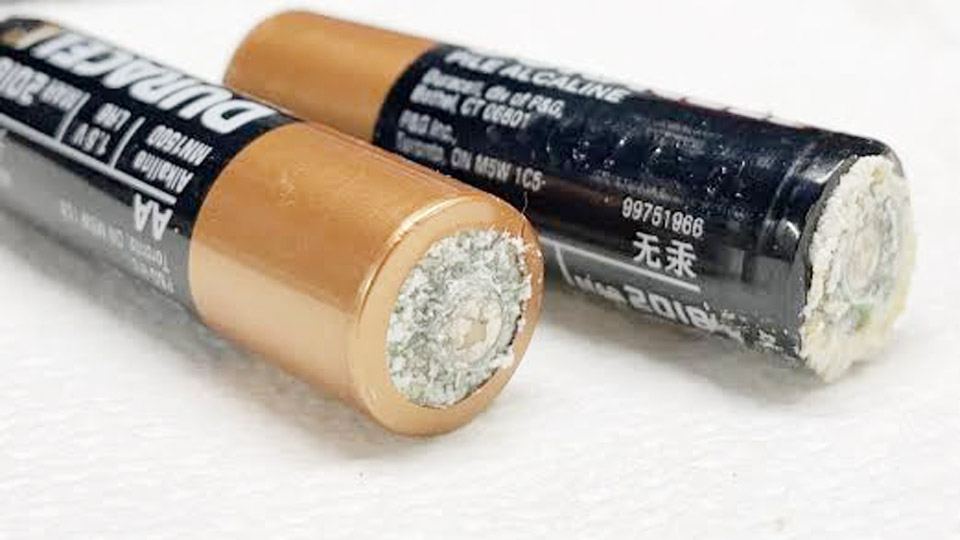
Image by hgtv
Understanding Battery Corrosion: Why It Happens Across Types
Battery corrosion isn’t limited to alkaline cells. Lead-acid batteries in cars and motorcycles develop sulfate buildup and acid mist that attacks terminals. AGM and gel batteries are more resistant but still suffer from poor connections in humid or dusty environments.
Lithium-ion and LiFePO4 packs in EVs, power tools, and solar storage can have oxidized contacts if seals fail or condensation forms.
The chemistry differs, but the result is the same: increased resistance, heat buildup during charging or discharging, and reduced performance. Alkaline batteries use a potassium hydroxide electrolyte that leaks as they age or when over-discharged.
Lead-acid uses sulfuric acid vapor. Lithium chemistries are sealed tighter, but high-drain use or physical damage can still cause issues.
Real-world scenario: A customer brought in a motorcycle that wouldn’t start after winter storage. Terminals were heavily corroded from a leaking alkaline battery in the alarm system. Cleaning everything restored reliable starts. The same lesson applies to solar charge controllers—dirty terminals can prevent proper bulk/absorption/float stages, leading to undercharged banks and sulfation.
Tools and Safety Essentials Before You Start Cleaning
Gather these before touching any battery:
- Baking soda and distilled water (neutralizing solution)
- Wire brush, old toothbrush, or terminal cleaning tool
- Dielectric grease
- Protective gloves and safety glasses
- Multimeter for voltage and continuity checks
- Isopropyl alcohol or dedicated battery cleaner spray
- Anti-corrosion sprays or felt terminal pads (optional but useful)
Safety first: Disconnect power sources. For vehicle batteries, remove the negative cable first. Never work on lithium packs without proper training—high voltage systems can be dangerous. Wear eye protection because alkaline leaks can irritate skin and eyes.
Step-by-Step: How to Clean Alkaline Battery Terminals
Remove the batteries safely. Tip the device so leaked material doesn’t spread. Dispose of damaged batteries responsibly—many auto parts stores accept them.
Neutralize the corrosion. Mix 1-2 tablespoons of baking soda with a little water to form a paste. Apply it to the terminals and contacts. It will fizz as it neutralizes the alkaline residue. Let it sit for 2-5 minutes.
Scrub thoroughly. Use a toothbrush or small wire brush to remove the crust. For stubborn spots inside battery compartments, cotton swabs work well. Be gentle with delicate electronics—don’t bend spring contacts.
Rinse and dry. Wipe with a damp cloth or use compressed air. Follow with isopropyl alcohol on a cloth to remove any residue. Ensure everything is completely dry before reinstalling batteries. Moisture is the enemy.
Protect for the future. Apply a thin layer of dielectric grease to contacts. This repels moisture and prevents future oxidation. For high-use devices, consider replacing batteries before they fully drain.
This process usually takes under 10 minutes and brings dead remotes and toys back to life. I’ve revived garage door openers and wireless keyboards this way dozens of times.
Expanding the Skill: Cleaning Terminals on Automotive and Deep-Cycle Batteries
The same neutralization technique works on lead-acid terminals. For car batteries:
- Disconnect cables (negative first).
- Apply baking soda solution to terminals and cable ends.
- Scrub with a dedicated terminal brush until shiny.
- Rinse with clean water, dry, and coat with dielectric grease or anti-corrosion spray.
- Reconnect (positive first) and tighten securely.
AGM and gel batteries benefit from the same routine but generate less acid mist. In solar systems, clean bus bars and inverter terminals regularly—dust combined with minor condensation creates resistance that reduces system efficiency.
Pro tip from the shop: On heavy-duty truck or RV batteries, I check torque specs on terminals after cleaning. Loose connections cause arcing and accelerated corrosion.
Battery Types Deep Dive: Choosing and Maintaining the Right One
Lead-Acid (Flooded): Traditional, affordable, used in most cars. Requires periodic water checks. Lifespan: 3-5 years in automotive use, longer in float applications if maintained. Voltage: 12.6V fully charged, down to 12.0V under load. Capacity in Ah (amp-hours).
AGM (Absorbed Glass Mat): Sealed, vibration resistant, higher discharge rates. Great for motorcycles, audio systems, and start-stop vehicles. Less maintenance, better deep-cycle performance than flooded. More expensive upfront but longer life in demanding use.
Gel: Similar to AGM but uses gelled electrolyte. Excellent for solar and marine deep-cycle applications. Sensitive to overcharging—use specific gel chargers.
Lithium-Ion and LiFePO4: Lightweight, high energy density (Wh), 2000+ cycles, low self-discharge. Dominant in EVs, solar storage, and portable power stations. Higher initial cost but superior longevity and efficiency. LiFePO4 is safer and more stable than other lithium chemistries for home solar.
Alkaline: Primary (non-rechargeable) for low-drain devices. Rechargeable alkalines exist but have limitations. Focus on preventing leaks rather than recharging.
Comparison Table: Battery Types at a Glance
| Battery Type | Lifespan (Cycles) | Cost per kWh | Maintenance | Best For | Voltage Nominal |
|---|---|---|---|---|---|
| Flooded Lead-Acid | 300-500 | Low | High | Cars, backup | 12V |
| AGM | 500-800 | Medium | Low | Vehicles, audio, RV | 12V |
| Gel | 500-700 | Medium | Low | Solar, marine | 12V |
| LiFePO4 | 2000-5000+ | Higher | Very Low | Solar storage, EVs | 12.8V |
| Alkaline | Single use | Very Low | None | Devices, remotes | 1.5V |
Real-world example: A off-grid homeowner switched from flooded lead-acid to LiFePO4 for their solar bank. After proper terminal maintenance and using a compatible charge controller, they gained faster charging, more usable capacity, and far less worry about sulfation during cloudy stretches.
Charging Methods and Correct Practices
Wrong charging kills batteries faster than anything else. Use a smart charger that matches the chemistry.
- Lead-acid/AGM/Gel: Bulk stage (higher voltage/current), absorption (constant voltage), float (maintenance). Typical 12V system: 14.4-14.8V absorption.
- Lithium: CC/CV (constant current/constant voltage). Avoid charging below freezing for most Li-ion without heaters.
- Alkaline: Generally not rechargeable. Dedicated low-current chargers for “rechargeable” alkalines exist but expect reduced performance.
Common charging mistakes:
- Using a car charger on solar deep-cycle batteries (wrong voltage profile).
- Leaving batteries on old-school trickle chargers for months.
- Charging at extreme temperatures.
- Mixing old and new batteries in a bank.
I always recommend a multimeter or battery monitor. A healthy 12V battery at rest should read around 12.6-12.7V. Below 12.2V indicates it needs charging.
Battery Storage, Lifespan, and Degradation Factors
Store batteries in cool, dry places (50-70°F ideal). Keep them partially charged—lead-acid around 80-100%, lithium 50-60% for long-term storage.
Degradation happens from:
- Deep discharges (especially lead-acid)
- Heat (every 10°F above 77°F halves lifespan roughly)
- Overcharging
- Vibration and physical damage
- Sulfation in lead-acid from undercharging
For solar users, a good battery management system (BMS) for lithium or proper charge controller settings prevent most issues.
Troubleshooting Common Battery Problems
- Won’t hold charge: Test with load tester. Could be sulfation, shorted cell, or parasitic drain.
- Slow cranking: Clean terminals first—most overlooked fix.
- Swollen batteries: Overcharging or internal short—replace immediately.
- Alkaline leakage in devices: Clean as described, check for corrosion damage to springs.
Step-by-step voltage testing:
- Measure at rest.
- Measure under load (headlights on for car batteries).
- Check individual cells in flooded batteries with a hydrometer (specific gravity 1.265-1.280 healthy).
Maintenance Routines That Actually Work
For car owners: Inspect terminals every oil change. Top off flooded cells with distilled water only.
Solar/off-grid: Clean connections quarterly. Equalize flooded batteries monthly if recommended by manufacturer.
Power tools and electronics: Remove alkaline or rechargeable batteries if storing for weeks. Wipe contacts.
EV and lithium users: Rely on the BMS but visually inspect high-voltage connections during service.
Safety Considerations Every User Should Know
Batteries store significant energy. Short circuits cause sparks, fires, or explosions. Lithium thermal runaway is rare with quality cells and proper BMS but catastrophic when it happens.
Always:
- Work in ventilated areas.
- Have baking soda nearby for acid spills.
- Use insulated tools around high-voltage systems.
- Recycle old batteries properly.
Real-World Applications Across Scenarios
Cars and Motorcycles: Clean terminals prevent no-start issues, especially in humid climates or after winter.
Solar Systems: Efficient connections mean more power to your inverter and less waste. I’ve seen systems gain 10-15% effective output after thorough cleaning and proper cabling.
UPS and Backup: Critical for data centers or home offices. Test and clean quarterly.
Power Tools: High-drain lithium packs last longer with clean contacts and correct chargers.
Everyday alkaline use in smoke detectors can save lives—functional batteries matter.
Putting It All Together: Your Action Plan
Start with the devices that frustrate you most—clean those alkaline terminals today using the baking soda method. Then move to your vehicle and any solar or backup systems. Invest in a good multimeter and charger suited to your batteries. Track performance over months and you’ll see fewer failures and lower long-term costs.
The biggest takeaway from years of working on these systems is consistency. A few minutes of maintenance prevents most problems. You don’t need to be an expert, just methodical.
On any multi-battery bank (solar, RV, or high-end audio), number the batteries and rotate their positions every year or so. This evens out wear and helps you spot weak units early during cleaning and testing.
Final Thoughts
Mastering how to clean alkaline battery terminals is the gateway to understanding all your batteries better. With these practices, you’ll keep vehicles starting, solar systems producing, and daily devices reliable for years.
FAQ
How often should I clean alkaline battery terminals?
Every 3-6 months in regular-use devices, or immediately if you notice leakage, swelling, or poor performance. In humid environments, check more frequently.
Can I use vinegar instead of baking soda to clean battery terminals?
Vinegar works in a pinch for alkaline residue but is acidic—rinse thoroughly afterward. Baking soda is safer and more effective for neutralization.
Why do my car battery terminals keep corroding?
Overcharging, loose connections, or age-related gassing. Fix the root cause (charger, alternator, or cable condition) in addition to cleaning.
Is it safe to clean lithium battery terminals the same way?
Use caution. Mild isopropyl alcohol or dedicated electronics cleaners are better. Avoid liquids near open cells and never use baking soda paste on active lithium packs without disconnecting.
What’s the best way to prevent corrosion long-term?
Clean thoroughly, apply dielectric grease, use quality anti-corrosion sprays or pads, and maintain proper charging practices. For alkaline devices, remove batteries during long storage.