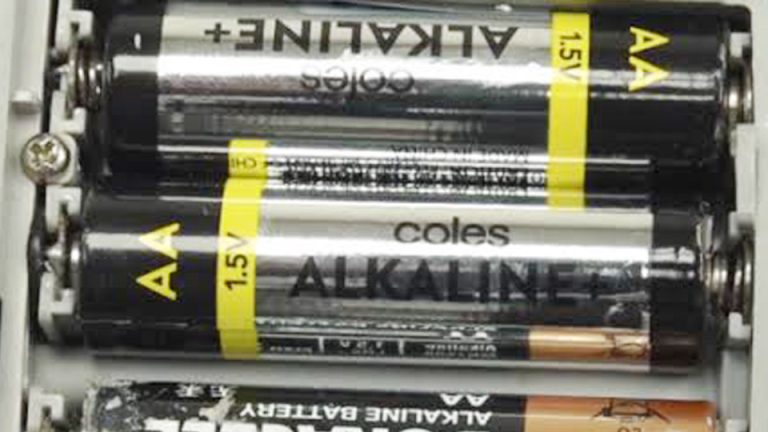
How to Remove Alkaline Battery Corrosion Safely & Fast
One of the easiest ways to ruin a perfectly good electronic device is to forget about the batteries inside it. I’ve opened everything from TV remotes and flashlights to wireless keyboards, only to find the battery compartment covered in a chalky white crust.
If you’ve run into the same problem, you’re probably wondering how to remove alkaline battery corrosion without causing even more damage.
I’ve learned that many devices are thrown away simply because people don’t know what they’re looking at. Some try to wipe the corrosion away with a dry cloth, while others use metal tools that scratch the battery contacts. Both approaches can make the problem worse and reduce the chances of getting the device working again.
Removing battery corrosion isn’t just about making the compartment look clean. It’s about restoring a reliable electrical connection, preventing further damage, and avoiding the cost of replacing a device that may still work perfectly. Using the right cleaning method also helps protect the battery terminals from additional wear.
I’ll show you the step-by-step process I use to safely remove alkaline battery corrosion, explain which household items work best, and share a few simple tips that can help prevent the same problem from happening again.
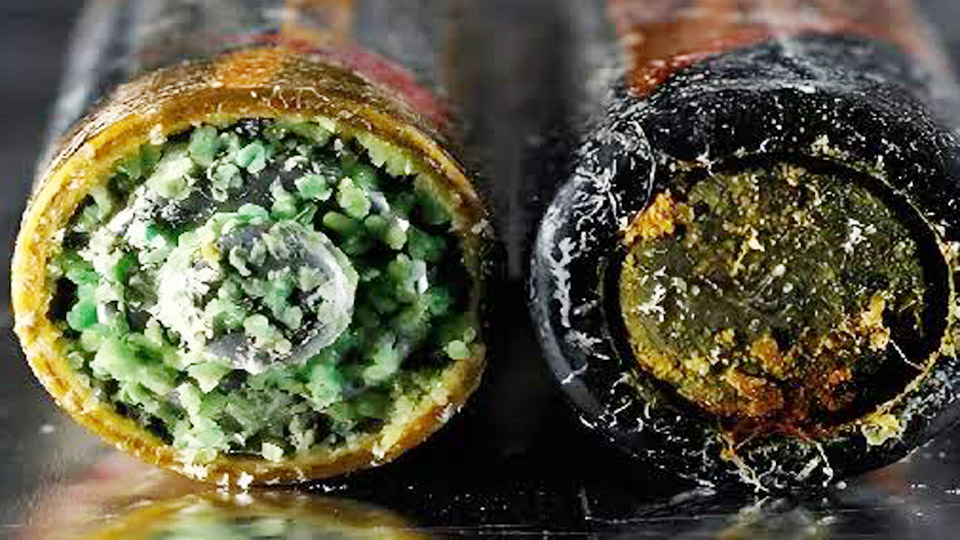
Image by ufinebattery
Why Alkaline Batteries Leak and Cause Corrosion
Alkaline batteries use a manganese dioxide cathode and zinc anode with potassium hydroxide electrolyte. Over time, especially if left in a device past their prime or in heat/cold swings, the casing degrades. Internal pressure builds from gas, and the electrolyte leaks out.
This alkaline goo reacts with air and metals, forming potassium carbonate or other compounds that look like powder or crust.
In real life, I’ve seen it in everything from TV remotes left in a sunny window to smoke detectors in garages. The corrosion spreads fast if not addressed, bridging contacts and shorting circuits. For car owners, this is different from lead-acid terminal corrosion, but the principle of neutralizing the chemistry applies across battery types.
Understanding Different Battery Types and Their Corrosion Risks
Not all batteries corrode the same way, and treating them incorrectly can make things worse.
Alkaline (Single-Use): Common in AA, AAA, C, D, 9V. Leak potassium hydroxide (base). Neutralize with mild acid like white vinegar or lemon juice.
Rechargeable NiMH/NiCd: Similar to alkaline but less prone to heavy leaks. Still use acid neutralizers.
Lead-Acid (Car, Golf Cart, Solar): Sulfuric acid leaks. Use baking soda (base) to neutralize.
AGM and Gel: Sealed versions of lead-acid, less leakage but terminals can corrode from fumes.
Lithium-Ion and LiFePO4: Rarely leak electrolyte; issues are more about swelling or BMS failure. Much safer for long-term storage.
In solar off-grid systems I’ve worked on, mixing battery types or poor storage leads to chain failures. Always match chemistry and age in a bank.
Battery Types Comparison Table
| Type | Common Uses | Lifespan | Corrosion Risk | Neutralizer Needed | Maintenance Level |
|---|---|---|---|---|---|
| Alkaline | Remotes, toys, flashlights | 1-5 years | High | Vinegar/Lemon Juice | Low (dispose when dead) |
| NiMH Rechargeable | Cameras, controllers | 500+ cycles | Medium | Vinegar | Moderate charging |
| Lead-Acid | Cars, motorcycles, solar | 3-7 years | High | Baking Soda | High watering |
| Lithium LiFePO4 | Solar, EVs, backup power | 2000-5000+ cycles | Very Low | None typically | Very Low |
This table comes from hands-on comparisons in mixed applications—lithium wins for longevity but costs more upfront.
Safety First: Protecting Yourself and Your Gear
Before touching anything, power off the device and remove it from any power source. Wear gloves and eye protection—potassium hydroxide can irritate skin and eyes. Work in a ventilated area. Have isopropyl alcohol, cotton swabs, a soft brush, and paper towels ready. Never use water alone on live electronics; it can cause shorts.
Step-by-Step: How to Remove Alkaline Battery Corrosion
Here’s the practical method I’ve used successfully countless times.
Step 1: Remove the Batteries
Take out the old batteries carefully. They might be stuck—use a plastic tool or pliers with tape on the jaws to avoid damaging contacts. Dispose of them properly; don’t just toss in regular trash.
Step 2: Wipe Away Loose Debris
Gently brush or blow out loose powder with compressed air. Avoid inhaling it.
Step 3: Neutralize the Corrosion
Apply white vinegar or lemon juice with a cotton swab. You’ll see fizzing as the acid reacts with the alkaline residue. Let it sit for a few minutes, then scrub gently with a toothbrush or swab. Repeat until fizzing stops.
Step 4: Clean and Rinse
Wipe with damp (not soaking) cloth or more swabs. Follow with isopropyl alcohol (90%+) to displace moisture and clean residue. This evaporates quickly and is safe for electronics.
Step 5: Dry Thoroughly
Let everything air dry completely, ideally with a fan or in a warm (not hot) spot for hours. Use a hairdryer on cool setting if needed.
Step 6: Inspect and Polish Contacts
Check for pitting. Use a pencil eraser or fine sandpaper on metal contacts for shine, then apply dielectric grease sparingly to prevent future corrosion.
In one case, a client’s vintage flashlight had heavy buildup after years in storage. Vinegar brought the contacts back, and it works like new after polishing.
When to Use Specific Tools and Methods
For small devices like remotes, swabs and vinegar are perfect. Larger setups, like battery compartments in power tools, might need a baking soda paste if there’s mixed residue, but stick to acid for pure alkaline leaks. Avoid harsh chemicals that could damage plastics.
Real-World Tip: In solar charge controllers or UPS systems, corrosion on terminals from off-gassing can mimic alkaline issues. Test a small spot first.
Common Mistakes Beginners (and Pros) Make
- Using baking soda on alkaline leaks—it doesn’t neutralize properly and can leave residue.
- Rushing drying—moisture + residue = new corrosion.
- Forcing stuck batteries and damaging springs or wires.
- Storing devices with batteries installed long-term.
- Ignoring expiration dates on batteries.
I’ve seen electricians ruin circuit boards by using water first instead of neutralizer.
Proper Charging Methods and Voltage Considerations
While this guide focuses on corrosion cleanup, prevention ties into charging. For rechargeables, use smart chargers that match voltage and stop at full. Alkaline aren’t rechargeable, but improper attempts can cause leaks.
For lead-acid in cars or solar, maintain 13.8-14.4V float for 12V systems. Lithium needs specific profiles—wrong voltage overheats or damages cells.
In practice, a mismatched charger on a motorcycle battery led to bulging and leaks. Always check specs.
Battery Storage and Maintenance to Prevent Corrosion
Store batteries in cool, dry places. Remove them from unused devices. For bulk storage, use airtight containers with desiccant. Check devices every few months. In off-grid homes, rotate stock and test voltage regularly.
Maintenance Routine:
- Inspect terminals monthly.
- Clean lightly with alcohol preventatively.
- For solar banks, ensure proper ventilation and equalizing charges.
Real-World Applications Across Devices
Cars and Motorcycles: Lead-acid corrosion differs, but principles overlap. Clean terminals to maintain starting power.
Solar Systems: Battery banks in RVs or cabins suffer from temperature swings. Clean connections for efficient charging.
UPS and Backup: Critical for computers—corrosion here means downtime during outages.
Power Tools and Electronics: Drills and remotes fail fastest from neglected leaks. Quick cleanup keeps them ready.
Troubleshooting Persistent Issues
If the device still doesn’t work after cleaning:
- Check for broken springs or melted plastic.
- Test with new batteries.
- For electronics, inspect circuit boards for residue damage—alcohol and a soft brush help.
Practical Recommendations for Longevity
Choose quality batteries with good shelf life. Match capacity (Ah) and voltage in packs. For lithium upgrades in solar or EVs, you get better depth of discharge without corrosion worries. Keep a small kit: vinegar, alcohol, swabs, gloves.
Taking Control of Your Battery Maintenance
Dealing with alkaline battery corrosion doesn’t have to mean tossing gear. By understanding the chemistry, neutralizing properly with vinegar, thorough cleaning, and smart storage, you protect your investments across cars, solar setups, tools, and daily devices.
You’ve learned the differences between battery types, why leaks happen, and how to avoid the most common pitfalls like wrong neutralizers or rushed drying.
After cleaning, apply a thin layer of dielectric grease to contacts. It seals out moisture and oxygen, cutting future corrosion dramatically without affecting conductivity. Your devices will thank you with longer, more reliable service.