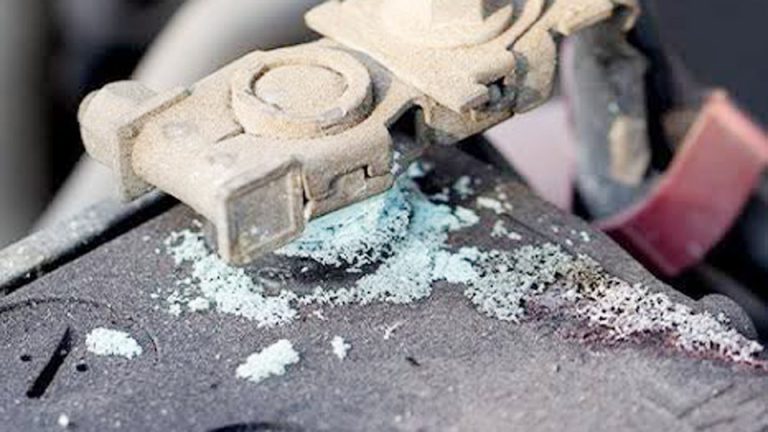
How to Clean Lead Acid Battery Terminals Safely
Corrosion on battery terminals is one of those silent killers that sneaks up on car owners, solar system users, and off-grid folks alike. You turn the key, nothing happens, or your solar inverter starts throwing low-voltage warnings at the worst possible time.
In most cases, the culprit is buildup on the terminals—white, crusty deposits that block current flow and accelerate battery failure. Learning how to clean lead acid battery terminals properly can add months or even years to your battery’s life while preventing expensive roadside breakdowns or system downtime.
I’ve spent years working with everything from daily driver cars and motorcycles to deep-cycle solar banks and UPS systems. The difference between a battery that lasts three years and one that lasts eight often comes down to simple maintenance habits, starting with the terminals.
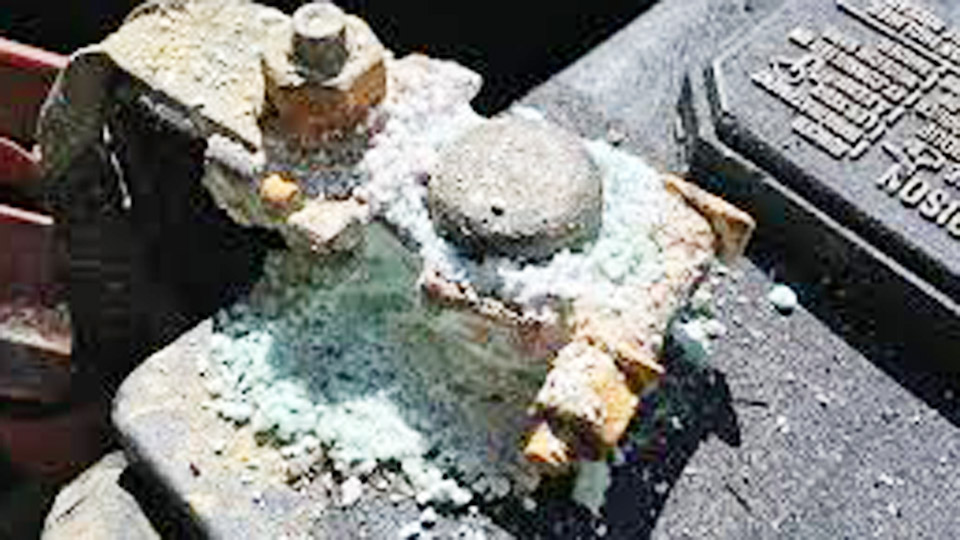
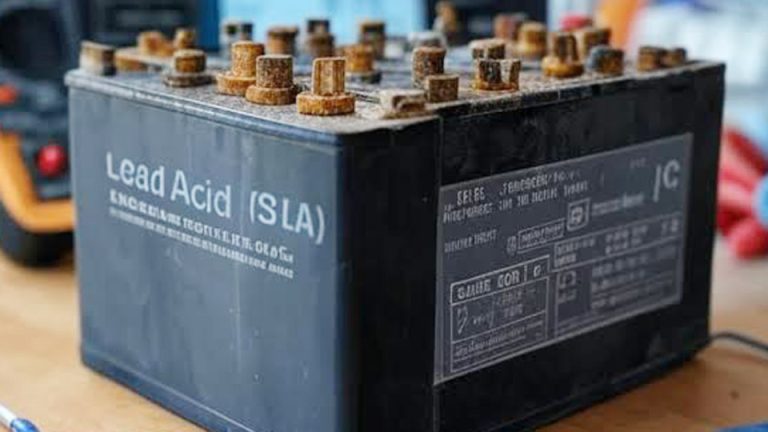
Image by hzhmarine
Why Lead-Acid Battery Terminals Corrode
Lead-acid batteries release hydrogen and oxygen gases during normal charging, especially when they reach the absorption or equalization stage. These gases mix with moisture and sulfuric acid vapors, creating electrolyte mist that escapes through the vents and settles on the terminals.
Once there, it reacts with the metal (usually lead or lead-alloy posts and copper or brass cables) to form lead sulfate and other corrosive compounds.
In humid or coastal areas, the process speeds up. Temperature swings make it worse—heat increases gassing, cold causes condensation. Even sealed AGM and gel batteries can show some terminal corrosion over time because no battery is truly 100% sealed under real-world conditions.
Left unchecked, corrosion increases resistance, causes voltage drops, leads to poor charging, sulfation, and premature failure. Cleaning it off regularly is one of the highest-ROI maintenance tasks you can do.
Tools and Materials You’ll Actually Need
Keep a dedicated battery maintenance kit in your garage or truck. Here’s what works best in practice:
- Baking soda (sodium bicarbonate) – neutralizes acid
- Distilled water
- Stiff wire brush or dedicated battery terminal brush
- Old toothbrush or small nylon brush for tight spots
- Protective gloves (nitrile or rubber)
- Safety glasses
- Terminal protectant spray or dielectric grease
- Adjustable wrench or battery terminal wrench
- Small screwdriver or terminal spreader
- Shop rags or paper towels
- Optional but helpful: compressed air, multimeter, battery load tester
Avoid using household cleaners or abrasive wheels that can damage the posts.
Step-by-Step: How to Clean Lead Acid Battery Terminals Safely
Step 1: Prepare and Disconnect
Always disconnect the negative terminal first, then the positive. This reduces the risk of shorting across the battery with your wrench. If the battery is in a vehicle, make sure the ignition is off and any accessories are disconnected.
Step 2: Inspect Before You Start
Look for cracks in the case, bulging sides, or excessive bulging around the terminals. If the battery shows physical damage, replace it rather than just cleaning. Check cable condition too—frayed or overly corroded cables should be replaced.
Step 3: Neutralize the Corrosion
Mix a solution of 1-2 tablespoons baking soda per cup of distilled water. Apply it liberally to the terminals and cables with an old brush or rag. You’ll see it fizz as it neutralizes the acid. Let it work for a minute or two. This step is crucial—simply brushing off dry corrosion without neutralizing leaves acidic residue that continues eating away.
Step 4: Scrub Thoroughly
Use the wire brush to remove the bulk of the buildup. Get inside the terminal clamps and around the base of the posts. For stubborn spots, a small pick or the toothbrush helps. Be firm but don’t gouge the soft lead posts.
Step 5: Rinse and Dry
Rinse with clean distilled water (tap water can introduce minerals that cause future issues). Wipe everything dry with rags. Moisture is the enemy—any water left behind can restart corrosion quickly.
Step 6: Reconnect and Protect
Reattach the positive terminal first, then negative. Tighten securely but don’t overtighten—stripped threads are common on older batteries. Apply a good quality terminal protectant spray or a thin layer of dielectric grease. This creates a barrier against moisture and future acid vapors.
I do this every 3-6 months on vehicles and every 6-12 months on solar banks, depending on environment. In desert heat or marine settings, do it more often.
Safety Considerations Every Time
Sulfuric acid is no joke. Even diluted, it can burn skin and eyes. Wear protection. Never smoke or create sparks near a charging or recently charged battery—hydrogen gas is explosive. Work in a well-ventilated area. If acid gets on your skin, rinse immediately with plenty of water and neutralize with baking soda.
For larger solar or UPS banks, consider wearing an acid-resistant apron. Keep a bucket of baking soda solution nearby for emergencies.
Understanding Different Lead-Acid Battery Types
Not all lead-acid batteries behave the same when it comes to maintenance:
Flooded (Wet Cell): Traditional design with removable caps. Highest maintenance but easiest to equalize and cheapest upfront. They gas the most, so terminal cleaning is frequent.
AGM (Absorbed Glass Mat): Electrolyte is absorbed in fiberglass mats. Much less gassing, vibration resistant, and faster charging. Terminal corrosion still happens but slower. Excellent for vehicles and deep-cycle use.
Gel: Silica gel suspends the electrolyte. Very low gassing and tolerant of deep discharges. Sensitive to overcharging—use the correct charger profile or you’ll ruin them.
Calcium vs Antimony Alloys: Modern maintenance-free flooded batteries use calcium to reduce gassing, but they can still sulfate if chronically undercharged.
Lithium-Ion and LiFePO4 Comparison
Many people are switching to lithium for solar and RV use. Here’s a practical breakdown:
| Aspect | Flooded Lead-Acid | AGM/Gel | LiFePO4 Lithium |
|---|---|---|---|
| Lifespan (cycles) | 300-800 | 500-1200 | 2000-6000+ |
| Depth of Discharge | 50% recommended | 50-80% | 80-100% usable |
| Weight | Heavy | Medium | Very light |
| Charging speed | Slow | Medium | Fast |
| Maintenance | High | Low | Very low |
| Upfront cost | Lowest | Medium | Highest |
| Terminal corrosion | Common | Less common | Minimal |
| Cold weather | Good | Good | Needs protection |
Lithium wins on longevity and efficiency but requires compatible chargers and BMS. Lead-acid remains king for budget builds and extreme cold if properly maintained.
Proper Charging Practices That Prevent Problems
Wrong charging is the fastest way to destroy terminals and plates.
- Flooded batteries: Bulk around 14.4-14.8V, absorption 14.4-15.0V, float 13.2-13.8V (check manufacturer specs).
- AGM: Slightly lower absorption voltage, usually 14.4-14.7V.
- Never use a standard automotive charger on deep-cycle or gel batteries.
Use a smart charger with multi-stage profiles. On solar systems, make sure your charge controller has proper temperature compensation. Undercharging causes sulfation; overcharging causes excessive gassing and corrosion.
I’ve seen too many people hook up a cheap trickle charger and walk away for weeks. That’s a recipe for ruined batteries.
Battery Storage and Seasonal Maintenance
If storing a vehicle or boat for months:
- Clean terminals first.
- Charge fully.
- Disconnect negative cable or use a battery tender/maintainer.
- Store in a cool, dry place (ideally 50-70°F).
- Check voltage every 1-2 months—recharge if below 12.4V for 12V batteries.
Never store on concrete (old myth, but temperature swings matter more). For solar banks, keep them at partial charge if long-term shutdown.
Troubleshooting Common Battery Issues
- Slow cranking: Often corroded terminals or cables. Clean first before replacing battery.
- Battery drains overnight: Parasitic draw, bad alternator, or sulfated cells.
- Swelling or hot terminals: Overcharging or internal short.
- White powder everywhere: Normal but needs regular cleaning.
A multimeter is your friend. Test resting voltage (12.6V+ is good for 12V battery) and voltage under load.
Real-World Applications and Examples
In cars and trucks, clean terminals prevent no-start issues, especially in winter. Motorcycle owners deal with it constantly because of vibration and small batteries.
Solar and off-grid users: Corrosion on large banks can cause imbalance between parallel strings. I recommend checking every connection quarterly.
UPS systems in homes or small businesses: These often sit forgotten until the power goes out. A quick terminal cleaning can mean the difference between backup power and dead silence.
Power tools and equipment: Riding mowers, ATVs, and generators all benefit from the same routine.
Building a Complete Maintenance Routine
Once a month:
- Visual inspection
- Check electrolyte levels (flooded only)
- Test voltage
Every 3-6 months:
- Full terminal cleaning
- Load test the battery
- Check charging system output
Annually:
- Deep inspection of cables, hold-downs, and ventilation
- Consider equalization charge on flooded batteries (carefully)
Choosing and Replacing Batteries
Match capacity (Ah), voltage, and type to your needs. Group size for vehicles, reserve capacity, and cold cranking amps (CCA) matter. For solar, focus on deep-cycle rating and total energy (Wh).
When replacing, clean the tray and cables thoroughly. Many “dead” batteries are actually killed by poor connections rather than internal failure.
Practical Reflection
After years of pulling batteries from dead vehicles and failed solar setups, the pattern is clear: the people who clean terminals, use the right chargers, and check connections regularly get dramatically more life from their batteries. It’s not glamorous work, but it pays off every single time you turn the key or flip the lights on during an outage.
The biggest pro-level tip I can share is this: always carry a small emergency cleaning kit in your vehicle—baking soda, gloves, brush, and rags. When that no-start happens at night in the rain, you’ll fix it in ten minutes instead of calling for a tow.
FAQ
How often should I clean lead acid battery terminals?
Every 3 months for vehicles in regular use, every 6 months for stored or solar batteries. In harsh environments (coastal, dusty, extreme temperatures), do it monthly.
Can I clean battery terminals without disconnecting the battery?
Technically possible but not recommended. The risk of shorting and damaging electronics is too high. Always disconnect negative first.
Is it normal for terminals to get hot?
Slight warmth during heavy cranking is okay, but hot terminals under normal use indicate high resistance from corrosion or loose connections. Clean and tighten immediately.
What’s the best protectant for battery terminals?
Commercial terminal sprays work well. Dielectric grease is also effective and widely available. Avoid heavy grease that attracts dirt.
Can corroded terminals damage the alternator or charging system?
Yes. High resistance makes the alternator work harder, leading to overheating and premature failure. Clean connections protect the entire electrical system.