How to Charge Sealed Lead Acid Battery With Power Supply
Charging a sealed lead acid (SLA) battery with a power supply is a skill many people want to learn, but often get wrong. If you use the wrong charging method, you can damage the battery, reduce its lifespan, or even create safety risks. Many beginners think you just connect any power supply, but there’s much more to it.
This article will guide you step by step so you can safely and correctly charge your SLA battery using a bench or lab power supply—even if you’re new to electronics.
You’ll learn what makes SLA batteries different, how to set up your power supply, the charging process, and the mistakes people often make. You’ll also find useful tables comparing charging parameters, practical safety tips, and clear answers to common questions.
If you want your battery to last longer, work reliably, and stay safe, keep reading.
Understanding Sealed Lead Acid Batteries
Sealed lead acid batteries are used in UPS systems, emergency lighting, alarms, and scooters. Unlike regular flooded lead acid batteries, they are sealed and maintenance-free. There are two main types: Absorbent Glass Mat (AGM) and Gel Cell.
- AGM batteries use fiberglass mats to absorb the acid.
- Gel Cell batteries have silica-based gel that keeps the acid in place.
Both types are designed so you don’t need to add water or check electrolyte levels. They are sometimes called VRLA (Valve Regulated Lead Acid) batteries because of their safety valves that release gas if pressure builds up.
Key Features
- Voltage: Usually 2V per cell. Most common batteries are 6V (3 cells) or 12V (6 cells).
- Capacity: Ranges from 1.2Ah to 100Ah or more.
- Maintenance: No refilling or regular checks needed.
- Position: Can be used in any orientation.
Why Charging Matters
Incorrect charging is the main reason SLA batteries fail early. Overcharging can dry out the internal electrolyte, while undercharging leads to sulfation, which reduces capacity. That’s why using the right charging method is so important.
Why Use A Power Supply?
A bench or lab power supply lets you control the charging voltage and current. Commercial SLA chargers are easy but expensive, and may not suit every battery size. A variable power supply gives you flexibility for different batteries and charging stages.
Benefits Of A Power Supply
- Adjustable voltage and current: Set exactly what your battery needs.
- Versatility: Can charge different batteries with the same device.
- Monitoring: See voltage, current, and charging progress in real time.
However, a power supply is not “smart”—you must set and monitor everything yourself. This is why you need to understand the charging process well.
The Basics Of Charging Sla Batteries
Sealed lead acid batteries are best charged in two stages:
- Constant Current (Bulk) Stage: The battery is charged with a fixed current until it reaches a set voltage.
- Constant Voltage (Absorption) Stage: The voltage is held steady, and the current drops as the battery fills up.
Once the current drops to a very low value (usually 0. 01C to 0. 02C, where C is battery capacity in Ah), charging is complete.
Typical Charging Voltages And Currents
Here is a comparison of recommended charging parameters for 12V SLA batteries at 25°C (77°F):
| Type | Bulk/Absorption Voltage | Float Voltage | Max Initial Current |
|---|---|---|---|
| AGM | 14.4–14.6 V | 13.5–13.8 V | 0.2C (20% of Ah) |
| Gel Cell | 14.1–14.4 V | 13.5–13.8 V | 0.1C (10% of Ah) |
Caution: Higher voltage or current can damage the battery.
Preparing To Charge: What You Need
Before you start, gather these items:
- Adjustable DC power supply (with voltage and current control)
- Multimeter (for double-checking voltage/current)
- SLA battery (know its voltage and Ah rating)
- Connecting wires (with insulated clips)
- Protective gear (goggles and gloves recommended)
Check Battery Condition
Inspect your battery for:
- Cracks or bulges
- Leaking fluid
- Corroded terminals
If you see any of these, do not try to charge the battery—it may be unsafe.
Setting Up The Power Supply
Before connecting the battery, you need to set up your power supply correctly. This is a step beginners often miss.
Step 1: Identify Battery Specs
Look for the label on your battery. Note the nominal voltage (e.g., 12V) and the capacity (e.g., 7Ah). This tells you the charging voltage and maximum current.
Step 2: Set Charging Voltage
For a 12V SLA battery, set the power supply to 14.4V (AGM) or 14.1V (Gel Cell). For a 6V battery, use half these values.
- Tip: Always start with the voltage set before connecting the battery.
Step 3: Set Charging Current Limit
Set the current limit to 0.2C for AGM or 0.1C for Gel Cell batteries.
Example: For a 7Ah AGM battery, set current to 1.4A (0.2 × 7).
Step 4: Double-check Settings
Use a multimeter to check the output voltage and current from your power supply before connecting the battery. This avoids mistakes that can damage the battery.
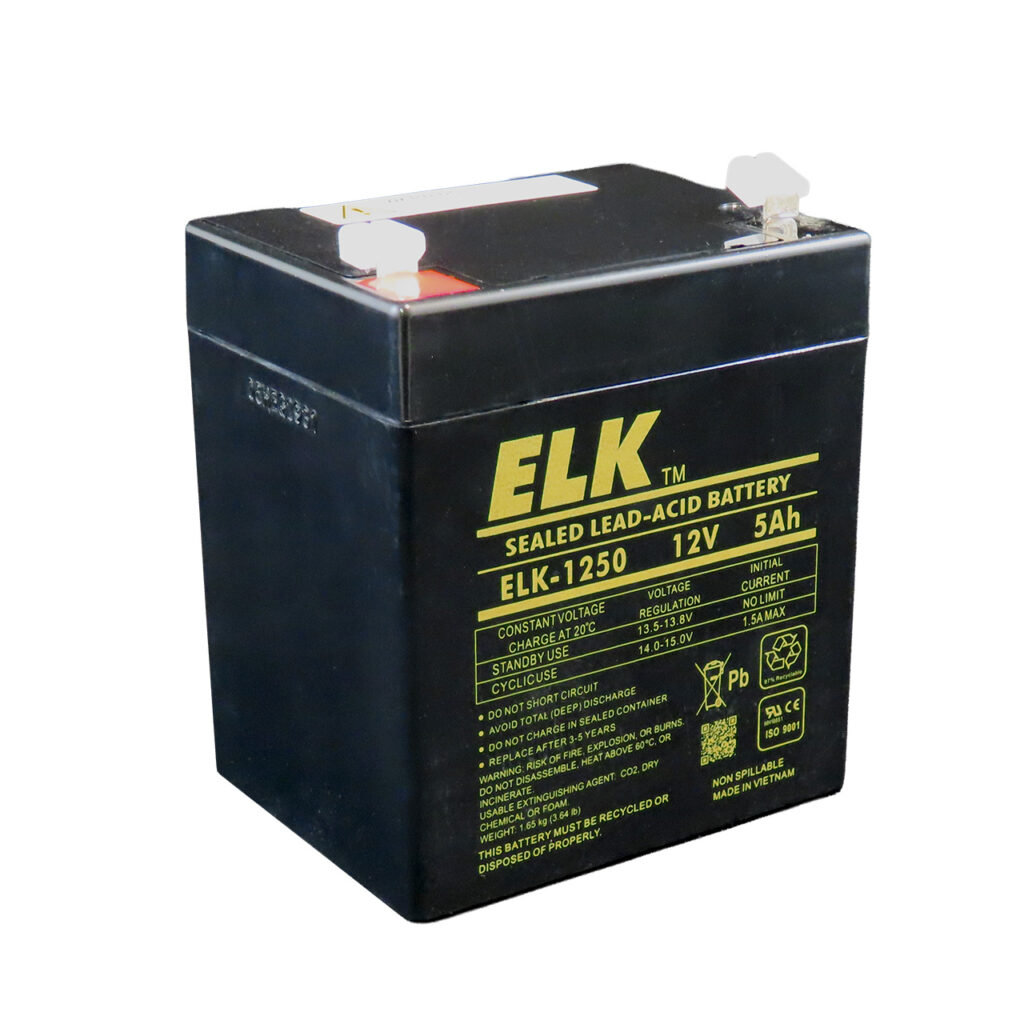
Connecting The Battery
Now you are ready to connect the battery.
- Make sure the power supply is OFF.
- Attach the positive (red) lead to the battery’s positive terminal.
- Connect the negative (black) lead to the negative terminal.
- Check connections are tight and secure.
- Turn on the power supply.
Monitor the display to confirm voltage and current are as expected.
Important: Never reverse the connections—this can ruin the battery and power supply.
Credit: www.elkproducts.com
The Charging Process: Step By Step
Charging happens in two main phases. Here’s how to do it safely and effectively.
Phase 1: Constant Current (bulk Charging)
At the start, the battery is low, and it will accept the maximum set current. The voltage will slowly rise. This phase charges the battery up to about 70–80% of its capacity.
- Monitor temperature: If the battery gets hot (over 50°C/122°F), stop charging.
- Watch for swelling: If the battery looks swollen, disconnect immediately.
Phase 2: Constant Voltage (absorption)
Once the battery reaches the set voltage (e.g., 14.4V for AGM), the power supply automatically switches to constant voltage mode. The current will slowly decrease as the battery fills up.
- Charging is complete when current drops to 0.01–0.02C (for a 7Ah battery, that’s 70–140mA).
- This last stage can take a few hours but is necessary for a full charge.
When To Stop Charging
Don’t overcharge. Disconnect the battery when:
- Charging current falls below 0.01–0.02C
- Battery voltage remains steady at set voltage
- Battery feels only slightly warm to the touch
If your power supply has a timer or auto-cutoff, use it as a safety backup.
Float Charging (maintenance)
If you want to keep the battery connected for long periods (such as in backup systems), reduce the voltage to the float level (13.5–13.8V for most 12V batteries). This keeps the battery topped up without overcharging.
- Tip: Float charging is only safe at low current (below 0.005C).
Example: Charging A 12v 7ah Agm Battery
Let’s walk through a real example:
- Identify specs: 12V, 7Ah
- Set voltage: 14.4V
- Set current: 1.4A (0.2 × 7)
- Connect battery (power supply off)
- Turn on power supply
- Monitor: Current starts at 1.4A, voltage rises.
- When voltage reaches 14.4V, current slowly drops.
- When current falls to 0.1A (0.014 × 7), stop charging.
This process usually takes 5–8 hours, depending on how discharged the battery was.
Safety Tips And Common Mistakes
Charging sealed lead acid batteries can be dangerous if done carelessly. Here’s how to stay safe and avoid common errors.
Safety Tips
- Work in a ventilated area. SLA batteries can vent hydrogen gas if overcharged.
- Wear eye protection. Accidents are rare but possible.
- Never leave charging unattended. Especially the last 20%.
- Double-check connections. Wrong polarity is a common beginner mistake.
Common Charging Mistakes
- Setting voltage too high: Causes gas buildup and damages the battery.
- Setting current too high: Overheats and warps battery plates.
- Forgetting to switch to float voltage: Causes slow “drying out” over weeks.
- Charging a deeply discharged battery too quickly: Can lead to thermal runaway.
Recognizing A Fully Charged Battery
A fully charged SLA battery will:
- Hold the set voltage with little current flowing
- Stay cool or only slightly warm
- Show no bubbling or swelling
If the battery doesn’t reach these signs after many hours, it may be damaged or sulfated.

Credit: www.youtube.com
Useful Charging Data Table
Below is a reference for different SLA battery sizes and their recommended charging settings:
| Battery Size | Max Charging Current (AGM) | Max Charging Current (Gel) | Bulk/Absorption Voltage | Float Voltage |
|---|---|---|---|---|
| 6V 1.2Ah | 0.24A | 0.12A | 7.2–7.3 V | 6.75–6.90 V |
| 12V 7Ah | 1.4A | 0.7A | 14.4–14.6 V | 13.5–13.8 V |
| 12V 18Ah | 3.6A | 1.8A | 14.4–14.6 V | 13.5–13.8 V |
| 12V 100Ah | 20A | 10A | 14.4–14.6 V | 13.5–13.8 V |
What Beginners Often Miss
Many guides skip small details that make a big difference. Here are two critical insights:
Temperature Compensation
The ideal charging voltage changes with temperature. Most settings are for 25°C (77°F). If your battery is in a hot or cold place, you should adjust the voltage. For every 1°C above 25°C, reduce the voltage by 0.003V/cell.
- Example: For a 12V battery (6 cells), charging at 35°C, reduce by 0.018V (0.003 × 6) per degree.
Resting After Charging
After charging, let the battery “rest” for 1–2 hours before measuring its voltage or using it. This stabilizes the chemistry inside and gives a more accurate voltage reading. Jumping straight to use can give a false sense of a full charge.
Comparing Charging With Power Supply Vs. Commercial Charger
Some people wonder if using a bench power supply is as good as a commercial SLA charger. Here’s a quick comparison:
| Feature | Bench Power Supply | Commercial Charger |
|---|---|---|
| Voltage/Current Control | Manual, flexible | Automatic, limited |
| Safety Features | Few (user must monitor) | Many (auto cutoff, reverse polarity) |
| Cost | Medium-High (but reusable) | Low-Medium (one battery type) |
| Learning Curve | Moderate (need to set each time) | Easy (plug and play) |
In summary, a power supply is more flexible but less automated. Beginners must pay close attention to settings and safety.
Signs Of Battery Problems During Charging
Sometimes, charging reveals issues with the battery. Watch for these warning signs:
- Battery gets hot (above 50°C/122°F)
- Bulging or swelling of the battery case
- No rise in voltage after 30 minutes
- Current stays high for hours
If you see any of these, stop charging immediately. The battery could be damaged or unsafe.
Disposing Of Bad Batteries
If your SLA battery will not charge, holds very little charge, or shows physical damage, do not throw it in the regular trash. Lead acid batteries are hazardous waste. Find a local recycling center or battery shop that accepts old batteries.
Most countries have laws for safe disposal.
Practical Tips For Better Charging
- Label your batteries with the last charge date and health status.
- Store batteries at full charge if not used for months.
- Recharge every 3–6 months in storage.
- Clean terminals before and after charging for best contact.
Wrapping Up
Charging a sealed lead acid battery with a power supply is a valuable skill that gives you flexibility and control. By following the steps in this guide—setting correct voltage and current, monitoring the process, and respecting safety—you can get the most from your batteries.
Remember, patience and careful observation are key to safe and effective charging. With practice, you’ll find it becomes second nature, and your batteries will thank you with longer life and better performance.
Frequently Asked Questions
How Long Does It Take To Charge A Sealed Lead Acid Battery With A Power Supply?
It depends on the battery size and how discharged it is. Most 12V 7Ah batteries take 5–8 hours for a full charge from empty using proper current. Larger batteries take longer; smaller batteries charge faster. Always monitor the charging current and stop when it drops below 0.01–0.02C.
Can I Use Any Power Supply To Charge An Sla Battery?
No. The power supply must be adjustable and able to limit both voltage and current. Fixed-voltage or unregulated supplies can overcharge or damage the battery. Always check voltage and current settings before connecting.
What Happens If I Overcharge My Sla Battery?
Overcharging leads to gassing, loss of electrolyte, heat buildup, and permanent capacity loss. In severe cases, the battery can bulge, leak, or even burst. Always stop charging when current falls to a safe level, and never exceed the recommended voltage.
How Do I Know If My Battery Is Fully Charged?
When charging at the correct voltage, the current will drop to 0.01–0.02C (for example, 70–140mA on a 7Ah battery). The battery voltage will be steady, and the battery will be only slightly warm. If you’re unsure, disconnect and let the battery rest for 1–2 hours, then measure voltage (should be 12.6–13.0V for a healthy 12V battery).
Is It Safe To Leave An Sla Battery On The Power Supply Overnight?
It’s only safe if you reduce the voltage to float level (13.5–13.8V for 12V batteries) and limit the current to a very low value. Never leave a battery unattended at absorption voltage, as overcharging risks increase. For peace of mind, use a timer or check regularly.